My Profile
Who you are, said once. It is what the AI writes everything else from: posts, comments, messages, connection notes.
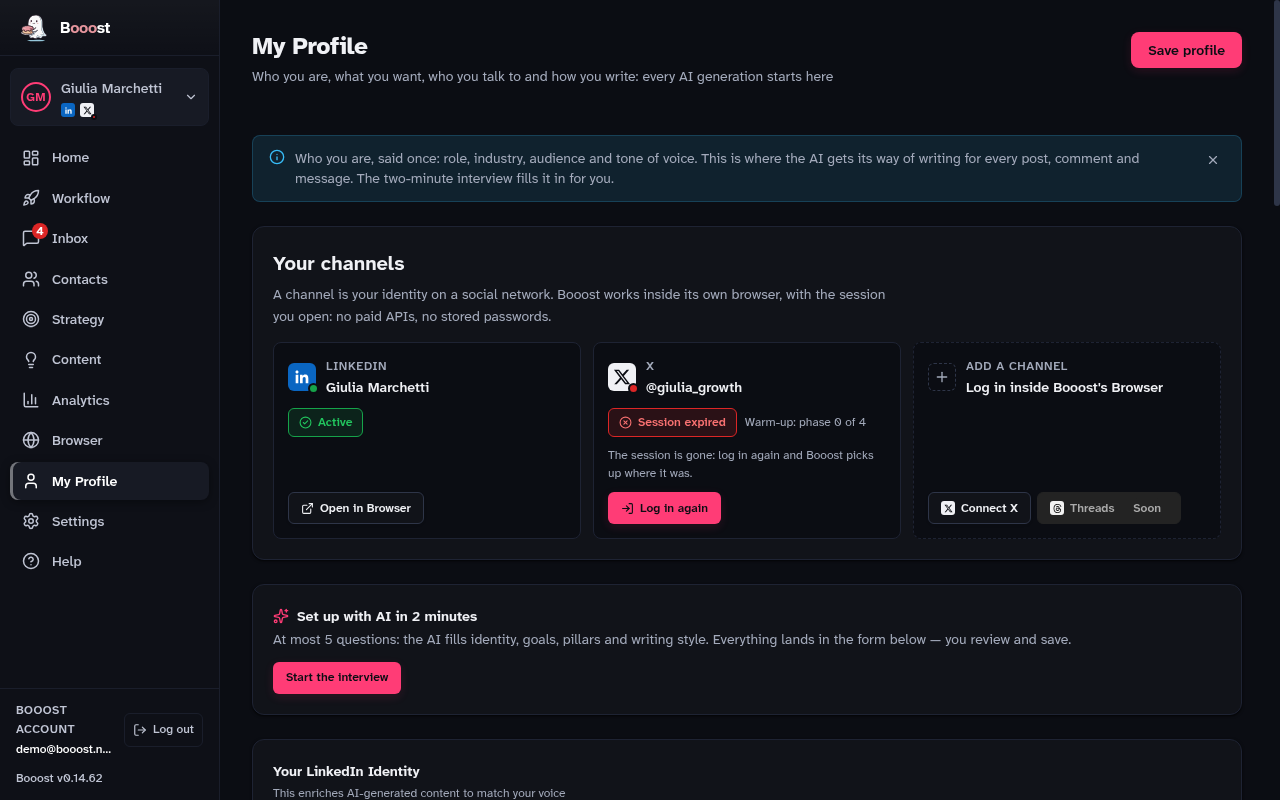
Your channels
At the top of the page, "Your channels" is where a channel is connected: press "Connect X" (or "Connect LinkedIn" if this persona does not have it yet) and log in inside Booost's Browser, the way you would on the site itself — no password is stored, and X is never reached through a paid API. Each card shows its status: Active, Session expired (log back in, nothing is lost) or Verification requested (the platform wants you to prove you are a person; resolve it in Browser, then press "I did the check"). A brand-new persona can also be born here, straight from an X login ("New persona from X" in the sidebar), with LinkedIn added later.
What it holds
- Role, industry and company — the context of every generated text
- Audience — who you are addressing, which is what decides the register
- Tone of voice — how you sound, and therefore how the AI has to sound
- Content pillars — the themes you want to be known for
- Off-limits — what the AI must never say on your behalf
- Audience personas — one or more, also used to compose target searches
The interview: four questions, two minutes
- Press "Take the interview".
- Answer four questions: what your goal is, which themes you want to be read on, what the AI must never say for you, how you write.
- The AI sorts your answers into the form fields.
- Read it all back and save.
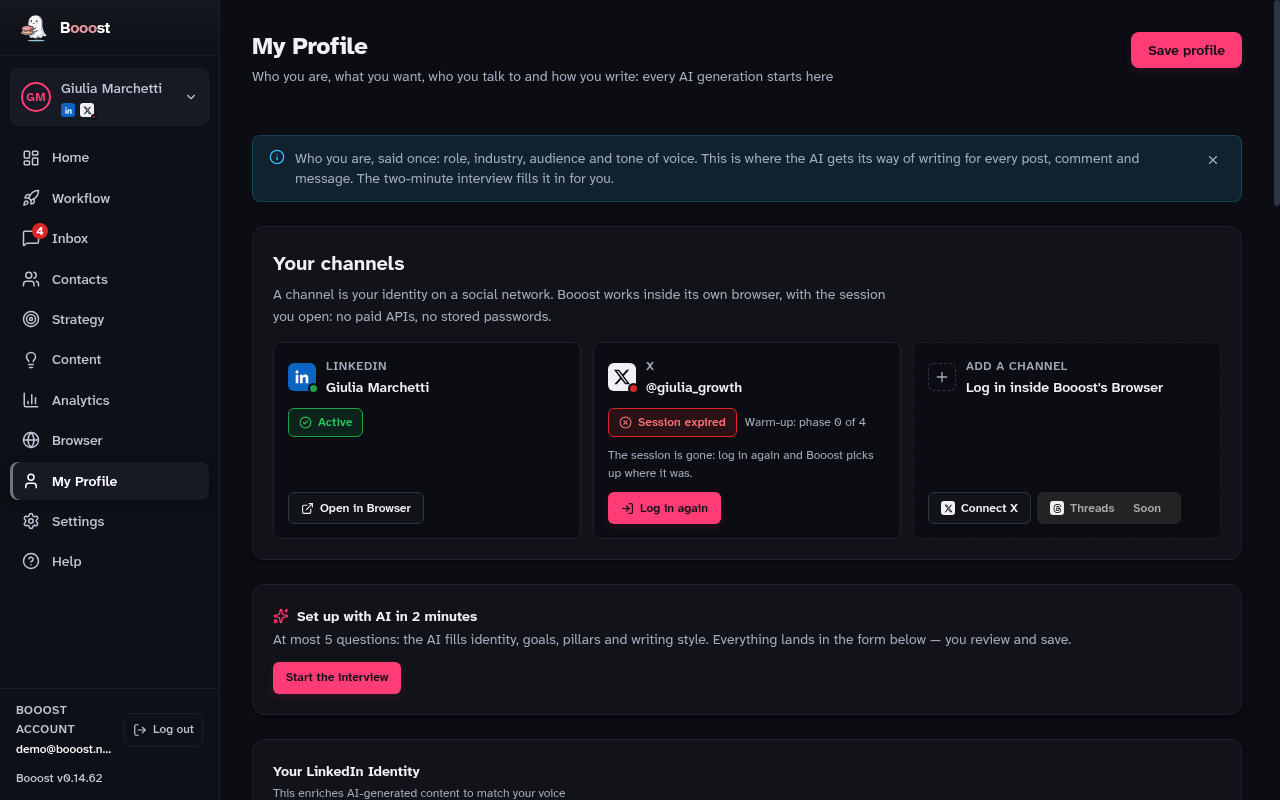
The questions are always the same four because they are the only things your LinkedIn profile cannot tell us. Role, industry and about-text Booost reads from there and does not ask you — unless the profile could not be read, in which case the first question asks.